Your whole day at a glance
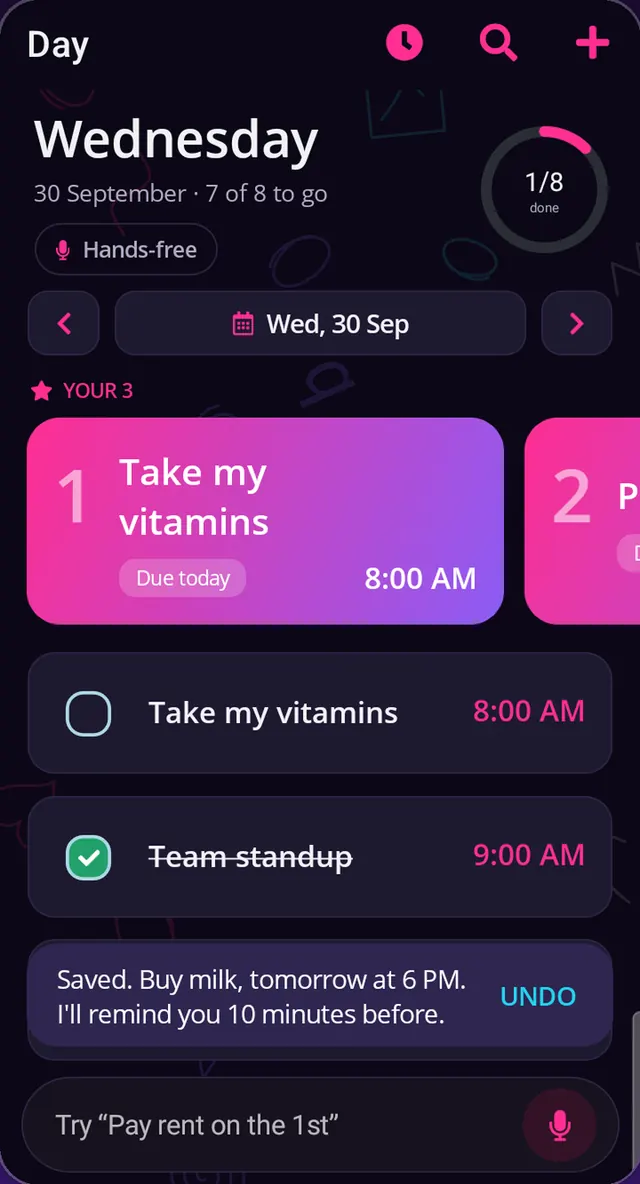
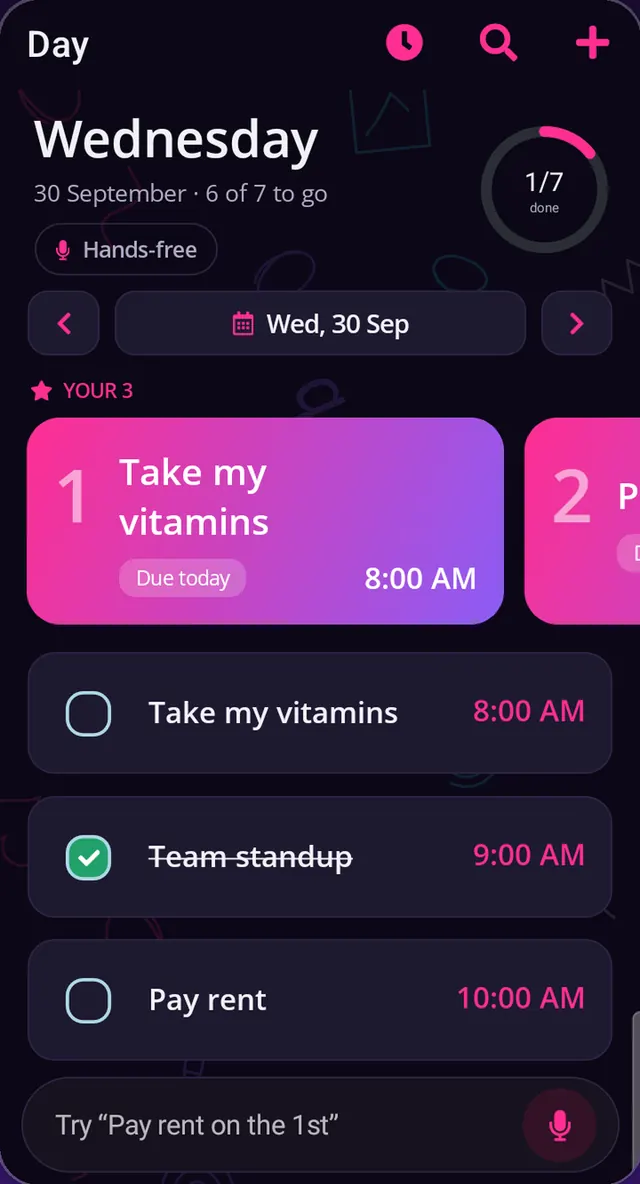
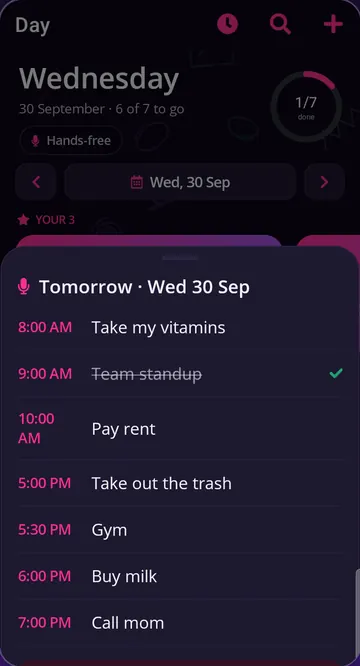
A progress ring, a date pager, priority-coloured task cards and YOUR 3: the tasks that matter most today, picked from your deadlines, streaks and what you usually finish. Free shows your top pick; Pro shows all three.
Coming soon to Google Play
Taskinator is an offline to-do list and calendar for Android, with Tasky, a voice assistant that lives on your phone. Say it, and Tasky saves the task, sets the reminder and, with Autopilot, plans your next three days.
For Android 7.0 and newer. Free, with an optional once-off Pro upgrade.
built for South Africa
meet Tasky
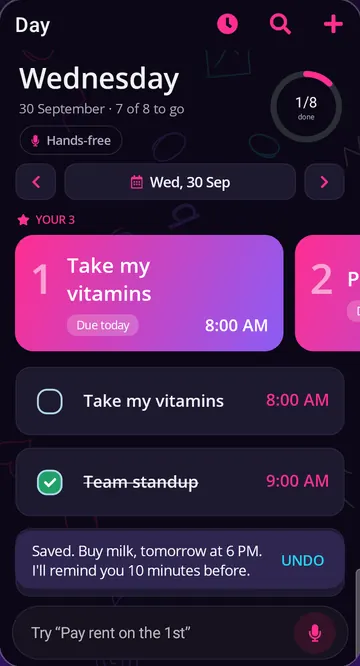
Say it the way you'd say it to a colleague. Tasky works out the task, the day, the time and the reminder on your phone, then shows you exactly what it did, with Undo one tap away.
Tasky, remind me to call mom tomorrow at 10
Tasky does
Tasky, take my pills every day at 2pm for the next 2 weeks
Tasky does
Tasky, what's next?
Tasky does
Tasky, move today's tasks to Saturday
Tasky does
Tasky, change the dentist to 3pm
Tasky does
Misheard? Say “Tasky, undo” or tap UNDO. Tasky also answers to “tasty”, “taski” and “task key”, because that's what speech-to-text hears.
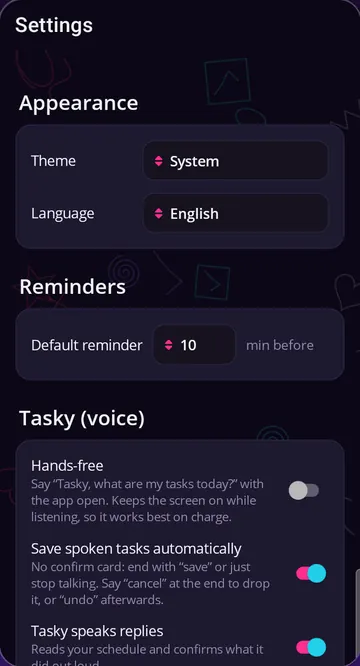
Adding, asking, opening a tab and undo are free on the mic button. Hands-free (just say “Tasky, …” while the app is open) and changing tasks by voice are Pro.
the free bit
Not a trial and not a cut-down version. Tasks, the calendar, reminders, repeats, subtasks and backups cost nothing, and they all work with zero internet.
A progress ring, a date pager, priority-coloured task cards and YOUR 3: the tasks that matter most today, picked from your deadlines, streaks and what you usually finish. Free shows your top pick; Pro shows all three.
Quick-add reads the day and time as you type. “Friday” is the coming Friday; “gym at 5” is 17:00.
They're scheduled on the phone itself, so they arrive with no signal and come back after a restart.
Every day, week, month or year. Tick one off and the next one appears.
Break any task into steps and tick them as you go.
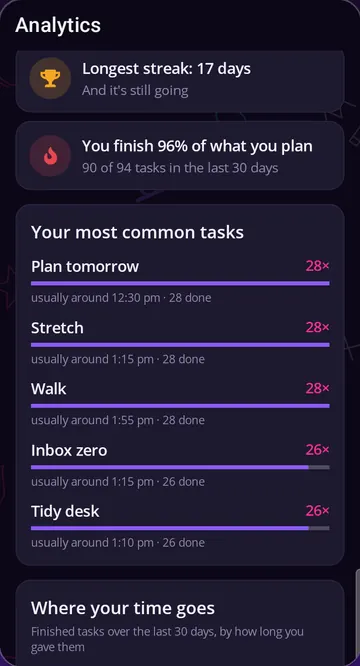
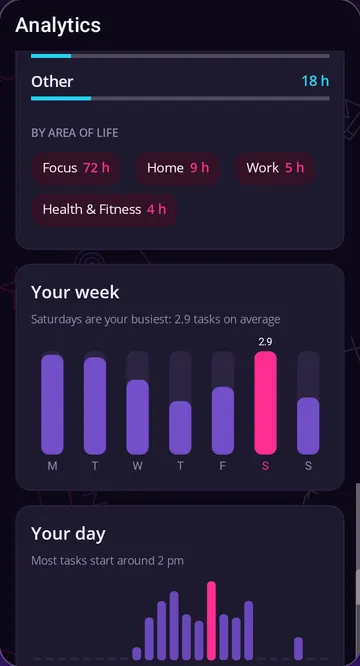
Streaks, your completion rate, your busiest weekday, the hour you start and a 12-week heatmap.
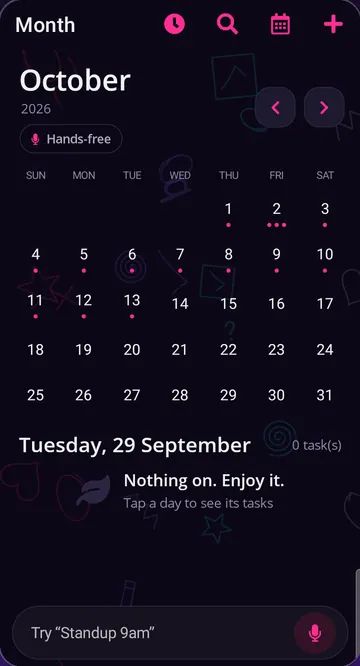
A light month grid with a dot on every busy day, plus a week view. Tap a day to see its tasks.
Changing phones? Export a backup, put the file wherever you like and restore it on the new phone. No account involved.
Find any task fast. Light or dark. Screens in English or Afrikaans, with notebook doodles drifting behind (or switched off).
no mock-ups
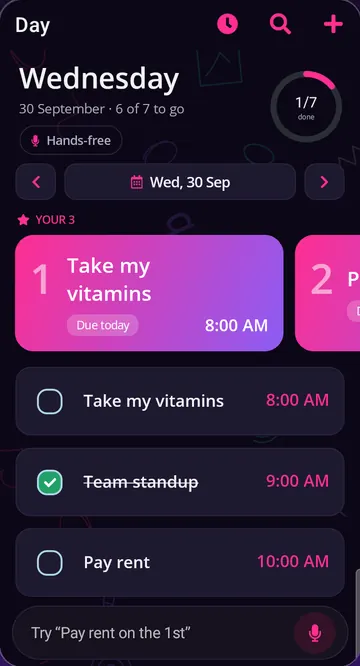
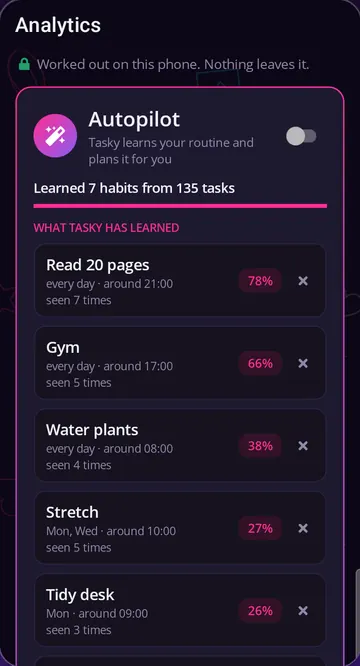
Real screens from the app. Swipe or scroll sideways for all eight.
Pro
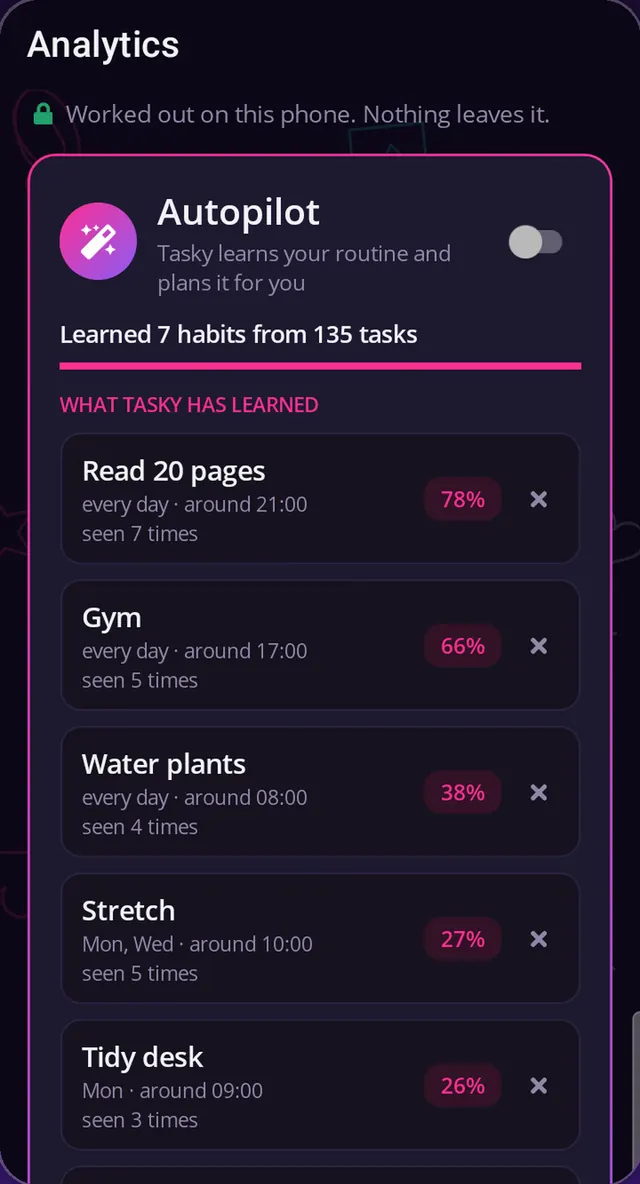
Switch it on and Tasky studies your own task history, right there on the phone, notices what you do and when, and fills in the next three days with the tasks it's confident about.
Only the tasks already on this phone. Nothing is uploaded to work it out.
What you do, which days, around what time, and how sure it is.
Tasks it adds carry a sparkle, so you always know who put them there.
You stay in charge. Every task it adds can be undone.
Keep it or tick it off: a good guess.
Delete it: Autopilot stops suggesting it.
privacy, not promises
No account, no server of ours, nothing to sync. Here is exactly what Taskinator does, what it doesn't, and the fine print we'd rather tell you ourselves.
All of it is spelled out in the Privacy Policy. To wipe everything, see deleting your data.
no subscription
Everything you need to run your day is free. Pro turns Tasky into a planner, for one small payment that's yours to keep.
R0for the to-do list, for good
No ads, no account and no time limit.
R39.99once-off launch price
Then R59.99 once-off. US$7.99 outside South Africa.
Try every Pro feature free for 14 days in the app. No card, nothing renews, and your tasks all stay when it ends.
Pro is one payment, not a subscription. It's bought through Google Play, which handles payment and refunds and shows the final price before you pay. Restore it on another phone with the same Google Play account.
on the workbench
These are not in the app yet. We'll only move them up the page when they ship.
Write things down next to your tasks, not in a separate app.
Tasks and notes, found from one box.
Tell Tasky the things worth remembering, and it keeps them for later.
Chat with Tasky about your tasks and plans. Add your own OpenRouter key and it gets smarter, using the AI model you choose; what you ask then goes to that provider.
Tasky shows what it wants to change and waits for your OK.
See what's stored on your phone, and clear it, in one place.
No dates promised. If you want a say in what comes first, email us your idea.
straight answers
Something else? Support has more, or email support@taskinator.co.za.
Yes. The to-do list is free: unlimited tasks, the calendar, search, reminders, repeating tasks, subtasks, Analytics, backup and restore, and adding tasks by typing or by voice. Pro is an optional once-off upgrade that turns Tasky into a planner.
Yes. Your tasks, the calendar, reminders and Autopilot all work offline and in airplane mode. Reminders are scheduled on the phone, so they fire without data and come back after a restart.
Two things can use the internet: your phone's speech service when you talk to Tasky (on phones that can't recognise speech on the device), and Google Play when you buy or restore Pro.
No. There's no account and no server of ours. Your tasks live in a private database on your phone, and Android's cloud backup of app data is switched off. To move them, you export a backup file yourself.
Taskinator never stores audio or transcripts. The microphone is used only while you talk to Tasky after tapping the mic or, if you switch on hands-free (Pro), while the app is on your screen.
Your phone's own speech service turns speech into text. On many Android phones that's Google's recogniser, which may send audio to Google over the internet unless your phone recognises speech on the device.
Android phones and tablets running Android 7.0 or newer. There's no iPhone version yet.
The app's screens are in English and Afrikaans. Tasky, the voice assistant, understands English.
Your tasks all stay, including the ones Autopilot planned. The Pro features switch off until you buy Pro. The preview needs no card, doesn't renew and runs once per install.
In Settings, export a backup, move the file to your new phone and restore it there. Pro comes back with Restore purchase on the same Google Play account.
It's all on your phone, so you delete it there: Settings, Danger zone, Delete all data, or uninstall the app. The full list of what's removed is on deleting your data.
Taskinator is coming soon to Google Play. Email us and we'll let you know when it's live.
Send us a quick email and we'll tell you the day it's live. No mailing list, no newsletter.